Click Counter
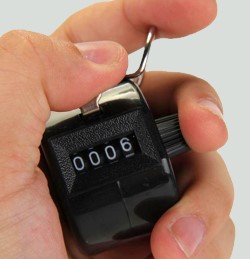
A very simple counter 🔢 one big number that goes up when you click it. Use it for crowd counts, inventory, reps, head counts, polls, or anytime you need to count something quickly with a giant, screen-readable number. Tally counters have a long history - the Wikipedia tally counter article walks through the mechanical and digital variants, and the underlying tally marks system goes back thousands of years.
Setup
This preset hides every part of the standard scoreboard except the score, leaving a single, very large number on screen. Click the score in the admin panel to add 1, right-click to subtract. Share the live URL to display the count on a second screen, projector, or stream.

Common Uses
Run the Board From the Admin Preview
The admin page shows a live preview of the scoreboard with click controls baked into every active section, so a full game can be driven from the preview alone, without going back to the side panel.
Anything that reacts to a click turns the cursor into a pointer and brightens on hover, so the interactive zones are obvious without trial and error. Press the Full Screen button on the admin page to hide every panel except the board itself. A small floating toolbar stays pinned at the bottom of the screen with a fullscreen toggle marked F11, zoom out, a reset-zoom button showing the current percentage and the Ctrl -/+ hint, zoom in, and a close button. The same laptop now doubles as the venue display while the operator keeps driving the game through the preview clicks. The site logo at the top left always links back to the home page, so you can jump between match, tournament or standings tools without losing your place.
FAQ
How do I subtract a count?
Right-click (or long-press on touch) the score in the admin panel to subtract 1. Tap or left-click to add 1.
Can multiple people watch the count?
Yes. Every counter has a public live URL with no edit controls - share it, cast it to a TV, or display it on a projector.
Can I count two things at once?
Use a sport scoreboard preset instead and treat the two team scores as your two counters. The click counter is intentionally a single tally.