Online Cricket Scoreboard with Live Broadcast
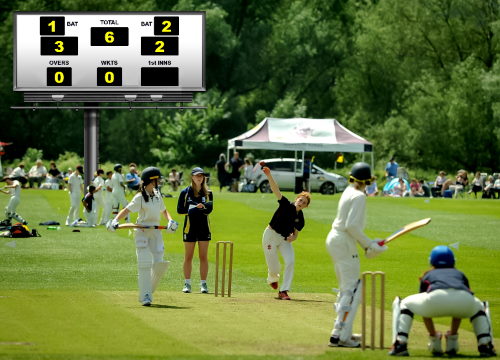
A live online cricket 🏏 scoreboard for every format the sport, from the T20 and ODI to the five-day long Test match. Track runs, wickets, overs, run rate and required run rate. Share the score with a single link so the dressing room, ground commentary and fans as well. For background on the longest of bat-and-ball sports, read the full cricket rules on Wikipedia, according to the International Cricket Council (ICC).
Set Up a Match in 3 Steps
Reading The Cricket Scoreboard
Cricket uses a compact runs/wickets notation displayed alongside the over count (overs.balls). The current run rate (CRR) and, in run chases, the required run rate (RRR) update after every ball. The batting team is highlighted; the bowling team's score appears below as the target or first-innings total.
Format compared
White-ball (limited overs)
- T10 - 10 overs each, 90-minute innings, IPL-style power play (see IPL)
- T20 - 20 overs, 6 powerplay overs, ICC World Cup format
- ODI - 50 overs, two new balls, three powerplay phases
Red-ball (Test)
- Test cricket - Up to 5 days, 90 overs/day, two innings per side
- First-class - 3 - 4 days, domestic county/Sheffield Shield format
- Follow-on - Available if leading by 200 runs (Test) after first innings
Basic Cricket Rules
4 if the ball reaches the boundary along the ground, 6 if it clears the rope on the full. Extras (wides, no-balls, byes, leg-byes) add to the team total without facing a delivery.Cricket milestones
FAQ
Can the board show a Test match across multiple days?
Yes - set the format to Test (unlimited overs) and the board tracks runs, wickets and overs continuously across both innings. You can pause and resume the match across multiple sessions.
Does the scoreboard support second-innings chases?
The board automatically switches to the second-innings team once the first innings finishes (overs done or 10 wickets). Required run rate and target appear during the chase.
How do I show a Super Over?
After a tied result you can reset the over count to 1 and continue scoring; the board will show the super-over score side-by-side with the main innings.