Ice Hockey Scoreboard
Ice hockey 🏒🥅 is a fast-paced contact sport played on an ice rink. Two teams of six players (including a goaltender) use sticks to shoot a rubber puck into the opposing team's net. The Wikipedia ice hockey article walks through the rules and history, and the international game is governed by the IIHF, and the most prestigious league is the NHL.
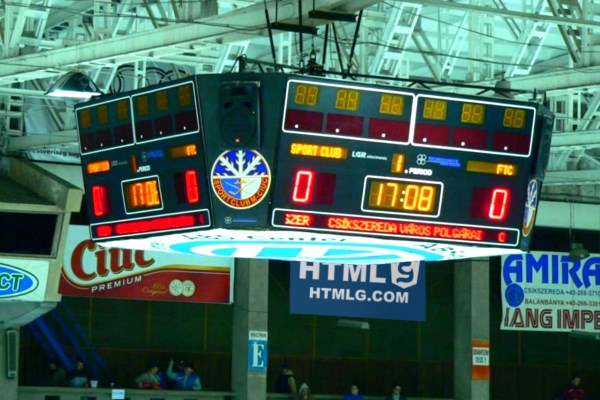
Scoreboard Setup
This scoreboard uses a countdown timer with three 20-minute periods, matching standard IIHF ice hockey timing. The board tracks each team's score, current period, penalties (tracked via the fouls counter), and timeouts. Each team gets one 30-second timeout per game.

Key Rules at a Glance
Run the Board From the Admin Preview
The admin page shows a live preview of the scoreboard with click controls baked into every active section, so a full game can be driven from the preview alone, without going back to the side panel.
Anything that reacts to a click turns the cursor into a pointer and brightens on hover, so the interactive zones are obvious without trial and error. Press the Full Screen button on the admin page to hide every panel except the board itself. A small floating toolbar stays pinned at the bottom of the screen with a fullscreen toggle marked F11, zoom out, a reset-zoom button showing the current percentage and the Ctrl -/+ hint, zoom in, and a close button. The same laptop now doubles as the venue display while the operator keeps driving the game through the preview clicks. The site logo at the top left always links back to the home page, so you can jump between match, tournament or standings tools without losing your place.
FAQ
How do I track penalty time?
Use the fouls counter to log each penalty. For minor (2 min) and major (5 min) penalties, run a separate stopwatch on the bench or note the expiry time of each penalty manually.
Does it support overtime and shootouts?
Yes - reset the timer for OT (5 min in regular season, 20 min in playoffs) and use the score buttons for shootout goals once a winner is decided.
Can I broadcast the score live?
Every game has a public live URL. Open it on a venue display, share it with viewers, or pull it into OBS for a stream overlay.