Rugby Scoreboard With Live Broadcast
Rugby union 🏉 is a full-contact team sport originating in England. Two teams of 15 players compete to carry, pass, or kick an oval ball to score tries by grounding it in the opposing in-goal area, or kick it through the uprights for points. The Wikipedia rugby football article covers both rugby union and rugby league; World Rugby publishes the union code's official laws.
It might look similar to american football 🏈, which is played with protective gear, taking many breaks and forward passing central to the game. Rugby is more continuous, uses less padding, and only allows backward or lateral passes.
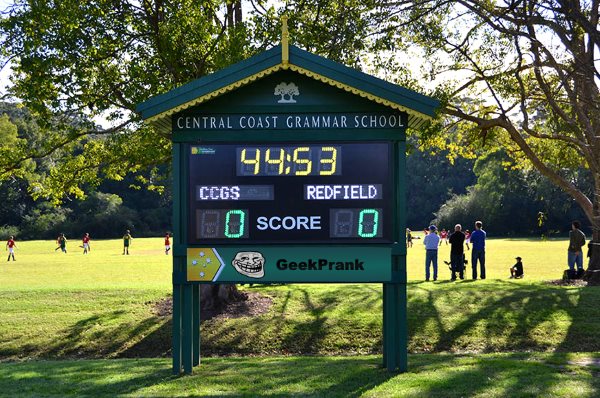
Scoreboard Setup
This preset uses a count-up timer with two 40-minute halves. The board tracks each team's score and the current half. Rugby does not use timeouts, so that feature is disabled, and the cumulative fouls counter is also off by default because penalties affect the score directly (3 points per successful penalty kick). If your competition tracks team penalty totals or yellow/red cards 🟨🟥 on the venue board, switch the Fouls row on in the settings.
Key Rules at a Glance
Run the Board From the Admin Preview
The admin page shows a live preview of the scoreboard with click controls baked into every active section, so a full game can be driven from the preview alone, without going back to the side panel.
Anything that reacts to a click turns the cursor into a pointer and brightens on hover, so the interactive zones are obvious without trial and error. Press the Full Screen button on the admin page to hide every panel except the board itself. A small floating toolbar stays pinned at the bottom of the screen with a fullscreen toggle marked F11, zoom out, a reset-zoom button showing the current percentage and the Ctrl -/+ hint, zoom in, and a close button. The same laptop now doubles as the venue display while the operator keeps driving the game through the preview clicks. The site logo at the top left always links back to the home page, so you can jump between match, tournament or standings tools without losing your place.
FAQ
How do I track tries, conversions and penalty kicks?
Use the score buttons in the admin panel: +5 for a try, +2 for a conversion, +3 for a penalty kick or drop goal. Tap the right value as each score happens.
How do I track yellow cards?
Use the fouls counter for each team to log yellow cards. The 10-minute sin bin should be timed on the bench - the board doesn't enforce timing per player.
Does it work for rugby league or sevens?
Yes. For rugby league shorten the half to 40 min and adjust scoring to 4-2-1. For rugby sevens use 2 × 7 min halves (10 min in finals) and the same 5-2-3 point values.