Simple Scoreboard with Live Broadcast
A simplified scoreboard that shows only what a casual game needs: a 10-minute countdown timer and two score counters. There are no period trackers, fouls, timeouts, labels or shot clock to configure, but you can easily activate these if you need them. For the long history of the device this replaces, the Wikipedia scoreboard article is a useful read, and the timing side is covered by the Wikipedia game clock article. If you want periods and fouls as well, start from a full preset such as the basketball scoreboard instead.
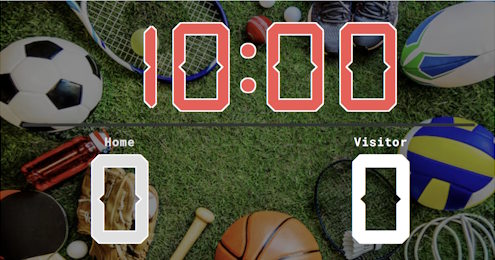
Score Counter Setup
The preset hides every part of the standard scoreboard except the timer and the two team scores. The clock counts down from 10:00 (change this to any value, or set it to count upwards), which suits a pickup game, a training drill or a quick round of almost anything. Click the timer on the admin page to start or stop it, and tap either score to add a point. The duration is editable when you create the board in the input field: 5, 15 or 20 minutes. For a timer with no score at all, use the stopwatch; for a fixed interval clock, the half-time clock covers that.
Common Uses
Run the Board From the Admin Preview
The admin page shows a live preview of the scoreboard with click controls baked into every active section, so a full game can be driven from the preview alone, without going back to the side panel.
Anything that reacts to a click turns the cursor into a pointer and brightens on hover, so the interactive zones are obvious without trial and error. Press the Full Screen button on the admin page to hide every panel except the board itself. A small floating toolbar stays pinned at the bottom of the screen with a fullscreen toggle marked F11, zoom out, a reset-zoom button showing the current percentage and the Ctrl -/+ hint, zoom in, and a close button. The same laptop now doubles as the venue display while the operator keeps driving the game through the preview clicks. The site logo at the top left always links back to the home page, so you can jump between match, tournament or standings tools without losing your place.
FAQ
Can I change the 10-minute countdown?
Of course! The duration is editable when you create the board. Set any length you want, or switch the timer to count up instead of down.
How do I add a point?
Tap or click a team's score on the admin page to add one, and right-click to subtract. The live page updates for every viewer within about a second.
Can I add team names or periods later?
Yes, anything. The simple scoreboard is the standard board with most sections switched off. Re-enable names, periods, fouls or timeouts whenever a game needs them.
Do viewers need an account?
No registration or login. Every board has a public live URL with no edit controls. Share it, cast it to a TV, or open it on any phone in the room.